
Frequently Bought Together 1.1 released: Block support and more
I’m pleased to announce the release of Premmerce Frequently Bought Together for WooCommerce 1.1. 🎉
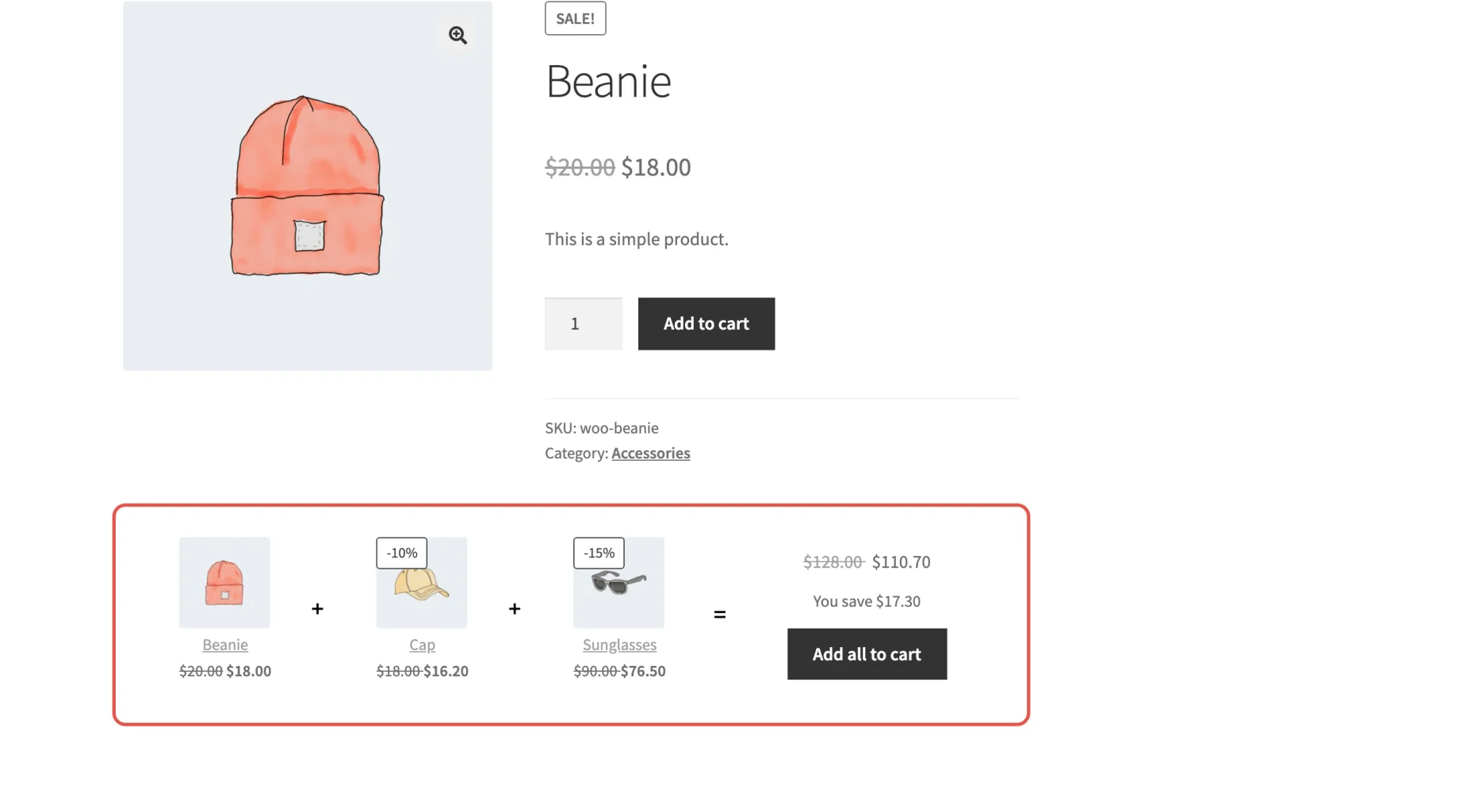
Frequently Bought Together shows a bundle of products that go well together on a product page, each with its own discount, so a customer can add the whole set to the cart in one click. Version 1.1 brings it up to date with the way WooCommerce stores are built today: block themes, the Single Product block, High-Performance Order Storage and the Cart and Checkout blocks. It’s also now sold right here on premmerce.com.
Let’s get into it!
Now available on premmerce.com
You can now buy Frequently Bought Together from its page on premmerce.com, like our other premium plugins. Your license key turns on updates from your WordPress dashboard, and every plan includes support. There are yearly and lifetime plans for 1, 5 and unlimited sites, and every purchase is covered by our 30-day money-back guarantee.
Block themes and the Single Product block
More stores now run on block themes, so 1.1 makes sure bundles show up in them:
- Block themes: with “Bundle position” set to “Before product description” (the default, under Appearance > Customize > WooCommerce > Bundles), bundles now show in block themes such as Twenty Twenty-Five, in front of the product details.
- The Single Product block: add a Single Product block to any page, such as a landing page or a gift guide, and the product’s bundles appear beneath it, with their own “Add all to cart” button.
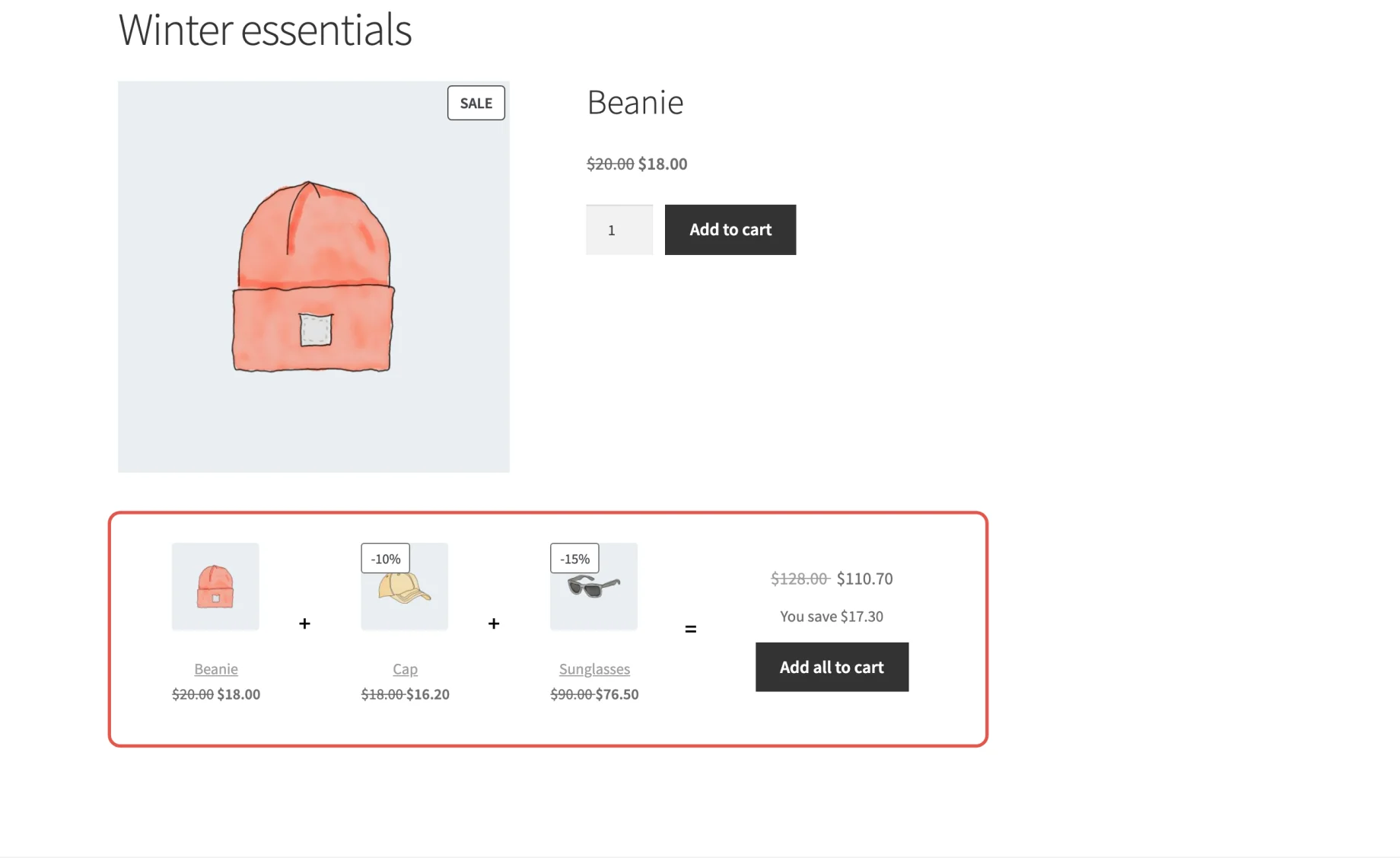
If you’d rather place bundles yourself, the [premmerce_get_bundles_by_main_product_id] and [premmerce_get_bundle_by_id] shortcodes still work anywhere.
HPOS and the Cart and Checkout blocks
Frequently Bought Together now declares compatibility with WooCommerce’s High-Performance Order Storage (HPOS) and the Cart and Checkout blocks, so you can turn them on without WooCommerce flagging the plugin. Bundles are stored in the plugin’s own tables and in order item meta, never on the order itself, and our automated tests cover buying a bundle through the Cart and Checkout blocks.
And more
1.1 is the first release to go through that test suite, and the tests found bugs we’ve now fixed:
- Bulk activate, deactivate and delete on the bundles list now work
- Category bundles show on every site, including those where a category’s term ID and term taxonomy ID differ
- Editing a deleted bundle no longer causes a critical error
- The bundles list marks a bundle Hidden when one of its products is out of stock, including products that don’t use stock management
- No more PHP 8.1 deprecation notices on the admin pages
The bundle button also now reads “Add all to cart”, which says exactly what it does. For the full list, see the changelog, and for setting up your first bundle, the Frequently Bought Together documentation.
Next up
Next we’re working on blocks and Elementor widgets for bundles, so you can place them in the editor instead of with shortcodes, along with fixes for the open bugs our customers have reported.
Get Frequently Bought Together on premmerce.com. What would you like to see in the plugin next? Let us know in the comments.
Frequently Bought Together for WooCommerce
Get started giving your customers upsell bundles to increase site usability and revenue.
Comments

Ready to Get Started?
Join over 100,000 smart shop owners who use Premmerce plugins to power their WooCommerce stores.
Get started